
Your team calls. The list keeps itself in order.
A dialer in the browser for small teams that call their own customers and leads. People make every call. It comes with Pro and Growth.
Open the list. Press call.
Each person signs in, opens their list and works down it. Nothing to install.
A dialer in the browser
Calls go out from your business number, from a laptop and a headset. The person you call sees your number.
Calling lists from Google Sheets
Connect a sheet and it becomes a calling list. Add rows in the sheet and they appear in the list.
Outcomes written back
Booked, not interested, no answer, voicemail, wrong number: each outcome is saved and written back to the columns you choose in the sheet.
Do-not-call list and calling hours
A number marked do not call is not offered again, and a list can keep calls inside calling hours.
Recording, with notice
Calls can be recorded. If your account plays a recording notice, a recording is only kept when the notice played.
Team stats
Calls and outcomes by week and by person, for owners and team admins.
Your team's phone, in the browser.
Call customers back and hand calls on from a laptop, with the caller's history beside you. No desk phones and nothing to install.
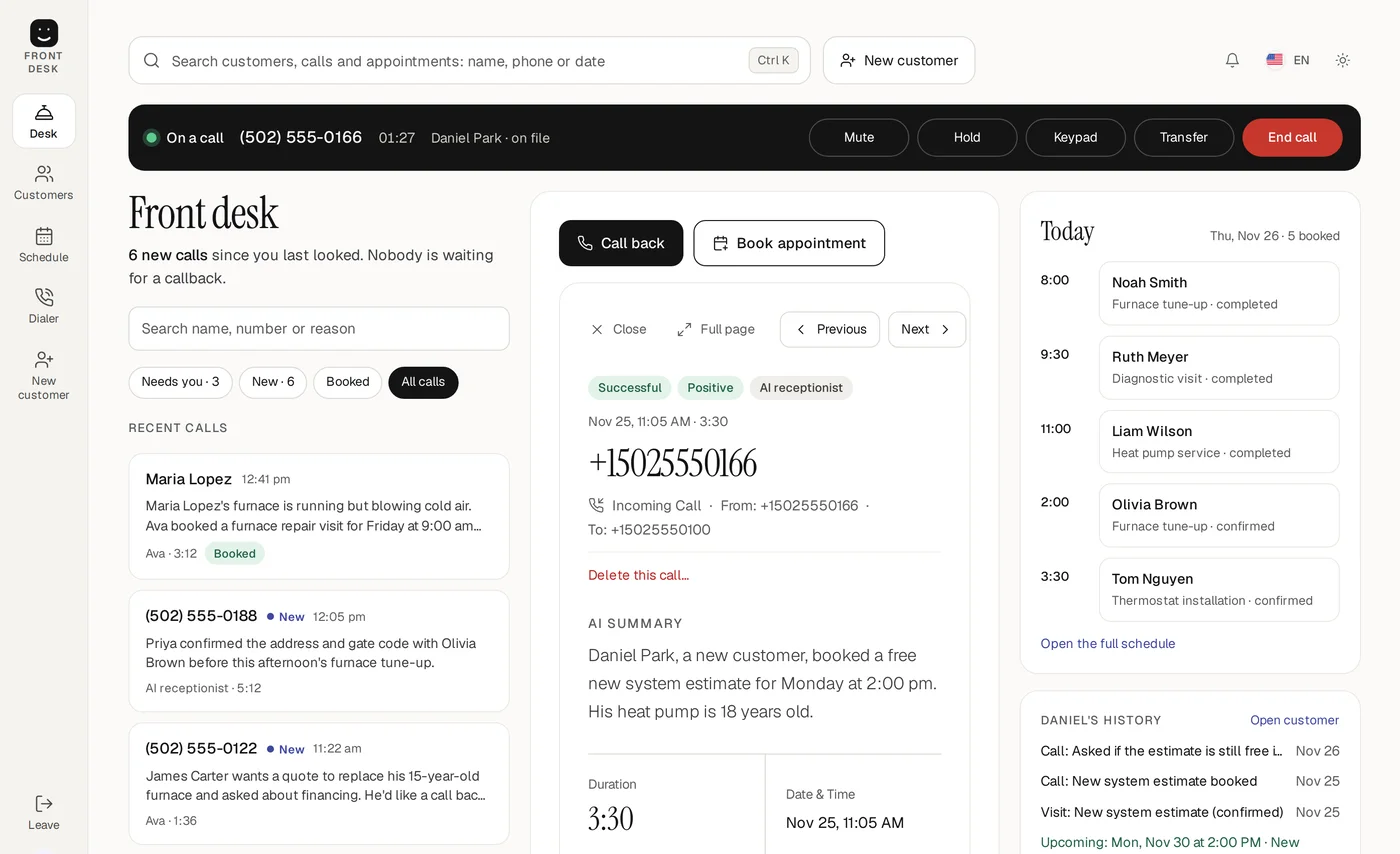
A phone in the browser
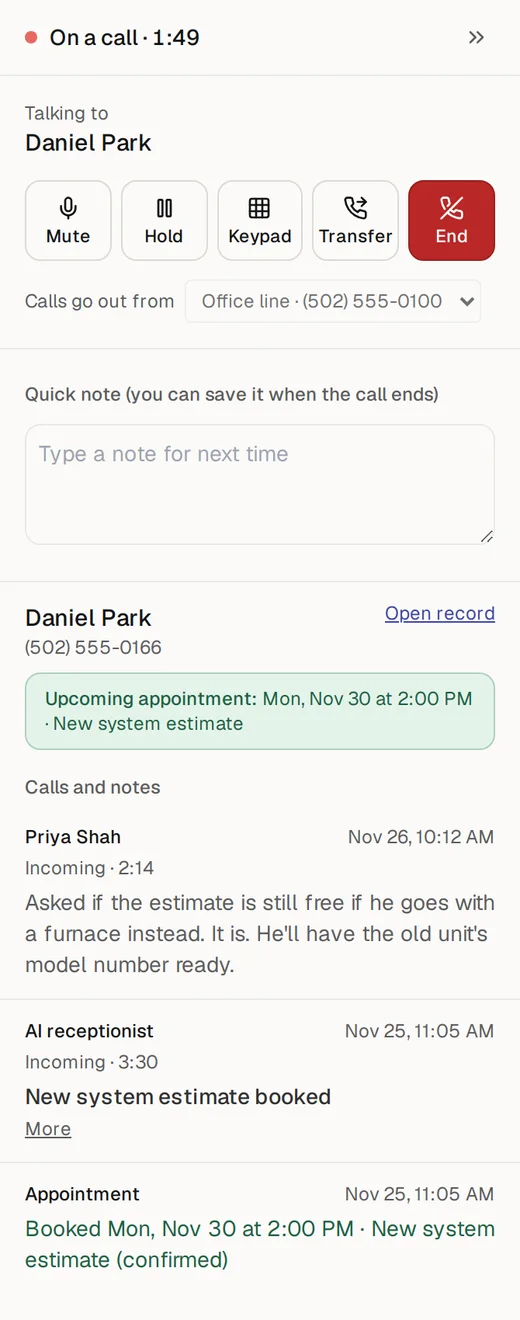
Call from the app with your business number showing. Mute, hold, keypad, and a note you can save when the call ends.
Every paid planHand a call to a colleague
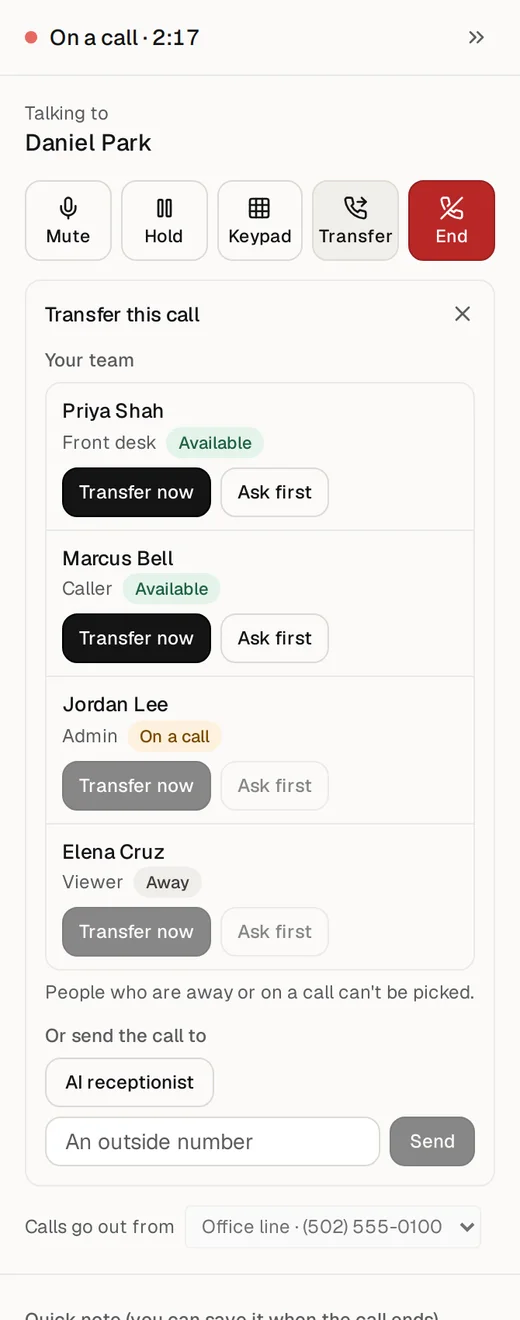
Incoming calls can ring your team's browsers. See who is Available, On a call or Away, then transfer now or ask first.
Pro and Growth (team seats)Or to the receptionist, or an outside number
Send the caller to your AI receptionist to book or take a message, or to any outside number.
Every planCalling lists
Work through a list from Google Sheets, with notes and the outcome saved after each call.
Pro and Growth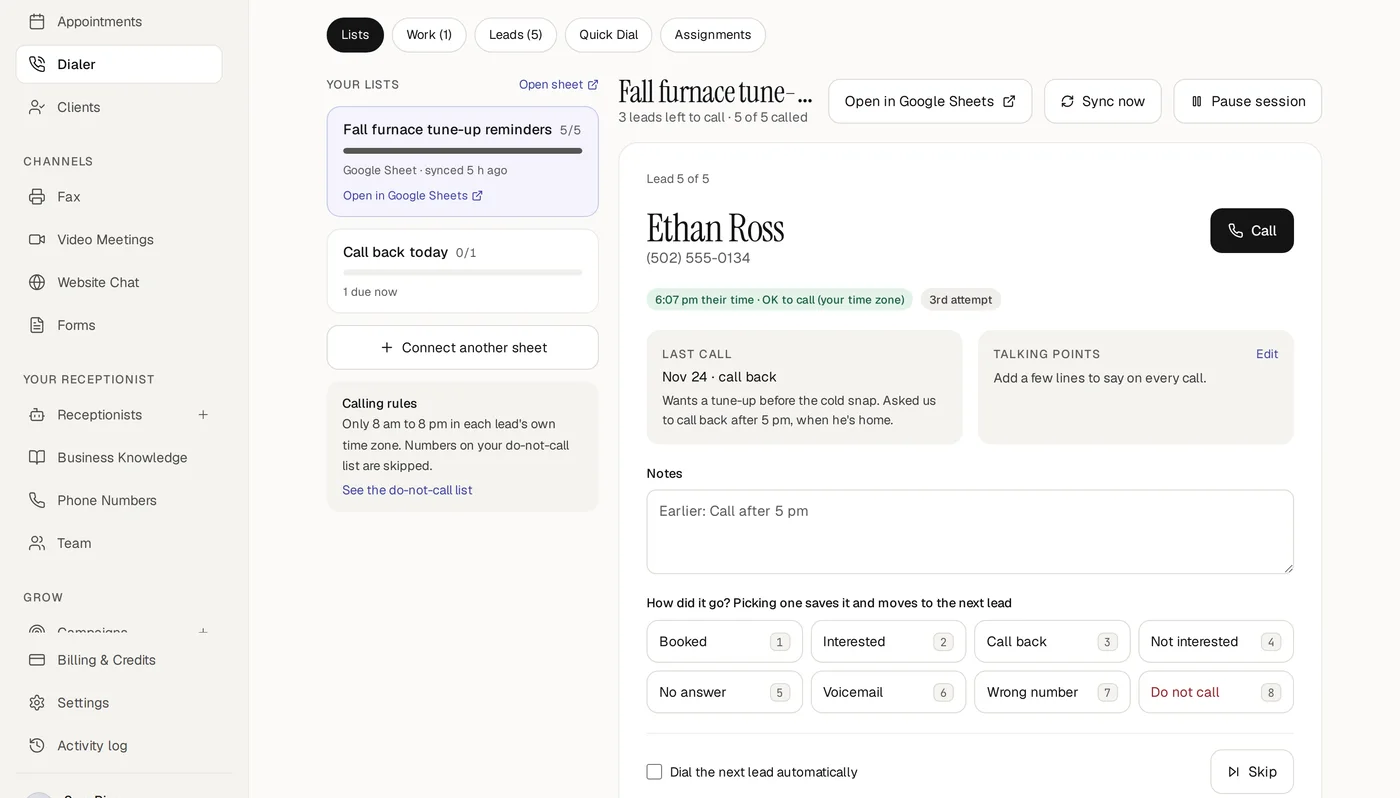
People make the calls. Never a robot.
Calls from the dialer are made by a person on your team, one at a time. i3Simple does not place automated or AI calls to your leads. You are responsible for following TCPA, do-not-call and consent rules for the people you call.
Lead Finder: find local businesses to call.
An add-on, on request. It builds a list of local businesses that match the types and areas you choose, for your team to call by hand. It is switched on per account, and you agree to the calling and email rules before you use it.
Calling lists come with Pro and Growth.
Pro has 2 team seats and Growth has 5. Starter answers inbound calls; call people back from your browser. Calling lists are on Pro and Growth. A monthly fair-use limit applies to outbound minutes: 300 on Starter, 1,500 on Pro and 5,000 on Growth. Incoming calls are never counted against it. See the full pricing page
Starter
or $970/year
- 1 AI receptionist
- 150 minutes a month
- 1 phone number included
- Answers inbound calls; call people back from your browser. Calling lists on Pro and Growth.
Pro
or $2,970/year
- 3 AI receptionists
- 500 minutes a month
- 1 phone number included
- 2 team seats
- Calling lists
Growth
or $5,970/year
- 10 AI receptionists
- 1,500 minutes a month
- 5 phone numbers included
- 5 team seats
- Calling lists
Free trial: 14 days or 60 minutes, whichever comes first. Cancel anytime.
Additional minutes are $0.25 each. Numbers included in your plan are free. Extra numbers cost 50 credits a month.
Call time is counted in minutes, rounded up to the nearest minute. A monthly fair-use limit applies to outbound minutes: 300 on Starter, 1,500 on Pro and 5,000 on Growth. Incoming calls are never counted against it.
Is this an auto-dialer or a power dialer?
No. A person starts each call. There is no automated or AI calling to leads.
Which plans include the dialer and calling lists?
Pro and Growth. Pro has 2 team seats and Growth has 5, each with its own login. Starter answers inbound calls; call people back from your browser. Calling lists are on Pro and Growth. A monthly fair-use limit applies to outbound minutes: 300 on Starter, 1,500 on Pro and 5,000 on Growth. Incoming calls are never counted against it.
Do we need Google Sheets?
Calling lists are built from Google Sheets. You connect your Google account and choose the sheet.
Does it check the national Do Not Call registry?
No. It keeps your own do-not-call list and stops those numbers being offered. Checking registries and getting consent is your responsibility.
Can the receptionist answer when a lead calls back?
Yes. Your number still rings your team first, and the receptionist answers when nobody can.
Start the trial and connect a sheet.
Or ring (502) 973-1078 and hear the receptionist that answers your call-backs.
Calls to the demo line are limited to 3 minutes. Rather we call you? Leave your details